
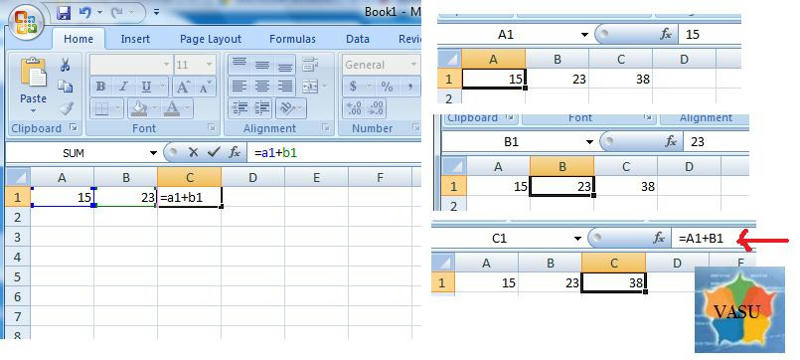
To Add Values in cells of a MS Excel Spreadsheet…..
Adding Numbers in Excel
To add two or more numbers in Excel you need to create a formula. Two important points to remember about Excel formulas:
* formulas in Excel always begin with the equal sign ( = )
* the equal sign always goes in the cell where you want the answer to go
Setting Up the Addition Formula
As an example, lets create a formula in cell C1 that will add the contents of cell B1 from cell A1.
Our formula: =A1 + B1
this will fetch value from the a1 cell and value from cell b1 and use it in c1