
Most of the time, we require the Text part from images but unable to do that. Then what we do, just start typing the whole Text part by referring to the image. But now you can ignore the typing, you have the power to copy the Text part from directly image by using JOCR. Using this small but powerful utility JOCR you can copy text from any images. Its based on Optical Character Recognition Technology.
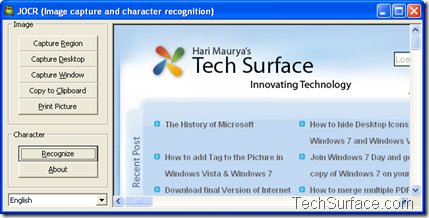
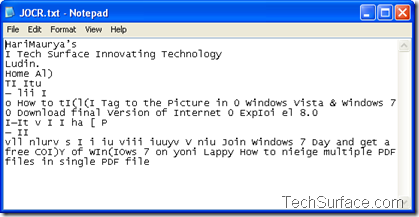
JOCR is a freeware application that enables you to capture the image on the screen and convert the captured image to text. It is useful to revive the protected files whose text can not be copied. JOCR enables you to copy text from any files and images on the screen such as protected Web pages, PDF files, error messages. The program offers several capture modes.
JOCR requires Microsoft Office 2003 or higher version. If JCOR does not work, please manually install “Microsoft Office Document Imaging” (MODI) that is included in the setup file of Microsoft Office. You can find MODI under “Office Tools” of the setup file.
Source: TechSurface