
At the time of of Windows boot up a popup message can be added which contains any message you wish to display. In many organizations there a display of a message whenever you boot it to display instructions or policies of Organization etc.
Here is how you can do it too :
- Open Registry Editor (Go to Start Run type Regedit & press enter)
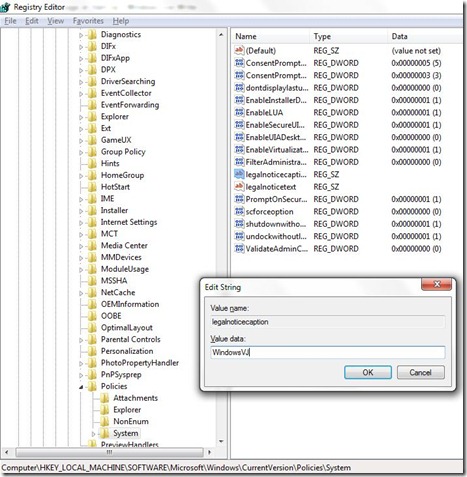
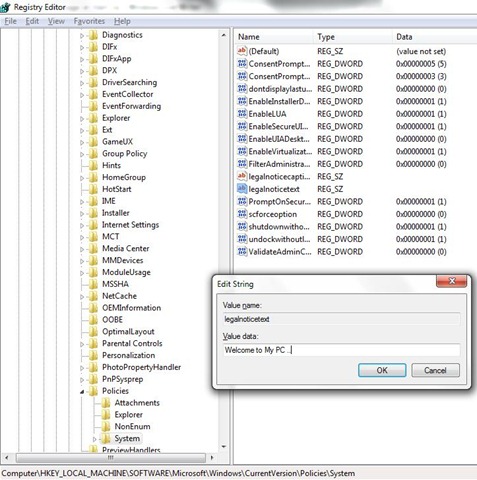
- Naviagte to : HKEY_LOCAL_MACHINE\SOFTWARE\Microsoft\Windows\CurrentVersion\Policies\System
- In the Right Side pane select & open LegalNoticeCaption and enter a value that you want to see in the Menu Bar.
- Next to it open LegalNoticeText and insert the message you want to display each time Windows boots.
- close Registry & Restart for changes to take effect.
Setting up Menu bar text using LegalNoticeCaption key.
Setting up Message to Display after computer Boots up using LegalNoticeText key.
This trick works with Windows 7 and earlier Versions of Windows as well.