
Many users need to keep track of time in multiple time zones, there’s a nice feature in Windows 7 to help users keep track of time in Multiple Time zones. The feature is multiple clocks in your system tray. This feature can display up to 3 clocks in your taskbar from 3 different Time Zones.
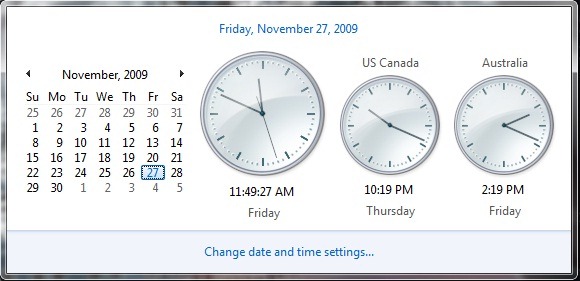
Click on the Clock in System tray
Next click on the ‘Change date and time settings’ to open Date and Time Window.
Click on the tab for Additional Clocks.
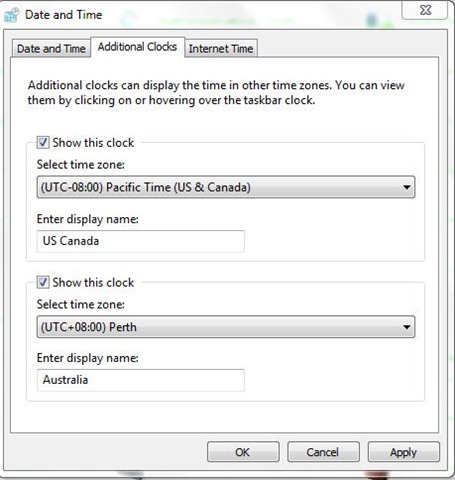
Here you can add up to two additional clocks .Enter time Zone and Clock Display name.
Check the ‘Show this clock’ box to enable the clock.
Click OK .
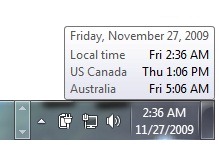 Hover over the clock and it would show you Time in text for all 3 Time Zones (including the one your Local one) .