
Did you loved the Matrix Triology ? Here is a trick to get the Matrix effects in your VLC Player. You can play all your videos in ASCII mode in VLC player.
To playback movies in ASCII art, follow the steps :
1. Open VLC media player and click on Tools>Preferences.
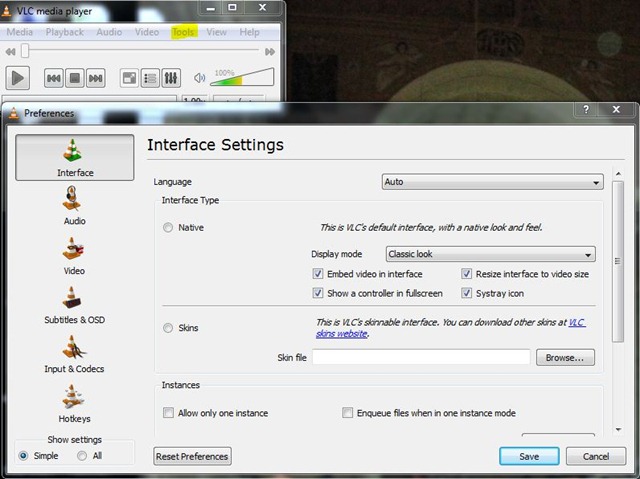
2. Open the Video section and under Output select Color ASCII art video output from the drop down menu.
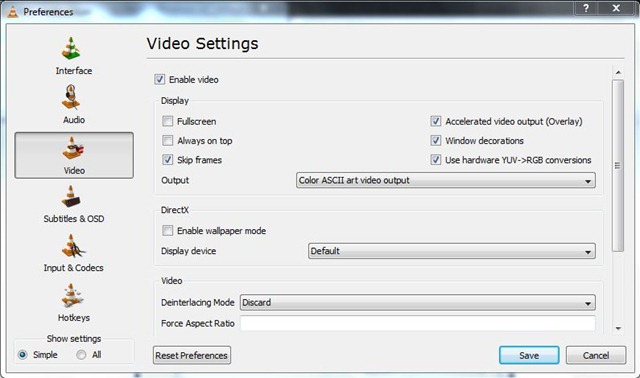
3.Save it. 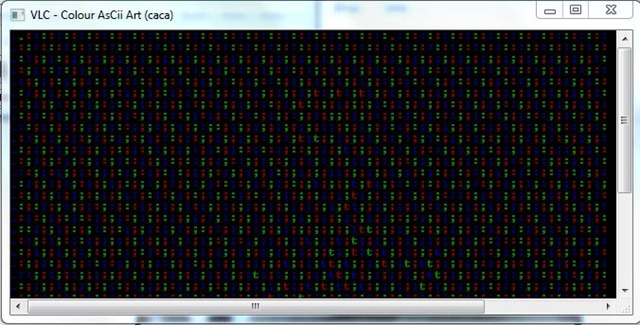
Now you can see all your videos in ASCII mode. Enjoy the Matrix Style.
To revert back simply select Default option in Step2.
nice
regards
Thanks MTarasu
Nice little trick
@MadGeek : a few more coming soon.. wud b publishing them by the end of day
gud