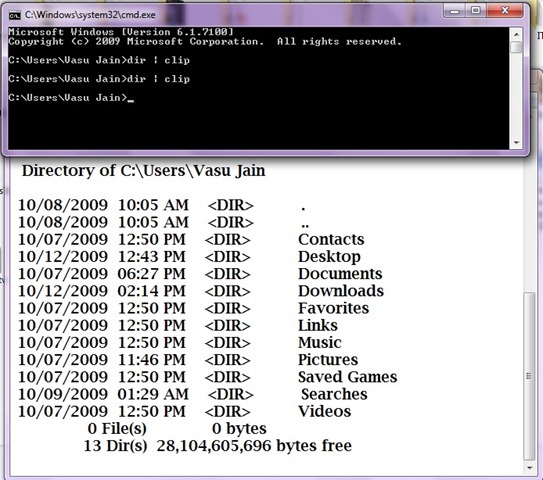
Windows 7 command prompt can be used with a clip utility that can used to copy the contents of the command prompt output into clipboard.It is very much similar like the way ‘tee’ command works in Unix.Tee command pipelines the output of a command in unix to another file.In Windows 7 we can use the ‘Clip’ utility to copy the text of command prompt.Adding clip next to any command copy the output.
Syntax for Clipping the Cmd prompt output : “Command | clip ” .You need to type the command followed by Clip in the Command prompt.
e.g. > f:\dir | clip will copy the output of the command in clipboard,though it wont be displayed .You can further paste the “clipboarded text” to notepad or wordpad.