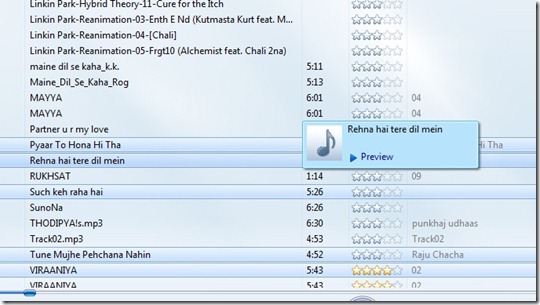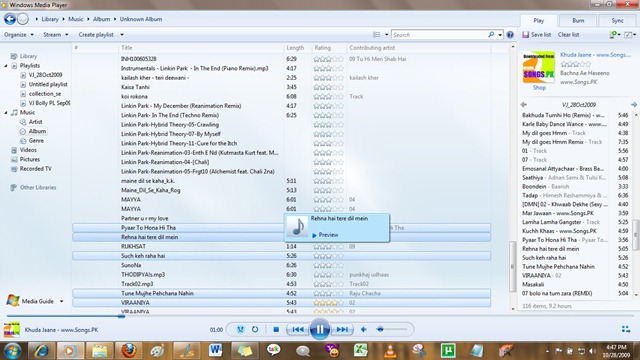
Windows Media Player 12 plays more music and video than ever. Also there is a nice feature in Windows Media Player 12 which shows the preview of song before adding it to a playlist.
Suppose you are creating a playlist “MyPlayList”.
While selecting any song from any album the whole album replaces the current playlist and you can not drag and drop from Album to the playlist until you have navigated to previous after previewing the song.Also when you try to play any song from the album it also prompts you for saving the unsaved “MyPlayList”.
You can simply skip this hazzle by using the preview feature provided in Windows 7.While you are selecting any song to be added in the playlist just keep the mouse over the song which you want to preview and it would show a nice tiny window where you can live preview the song skipping the procedure i mentioned earlier, like the way it was in WMP 11. Windows 7 is Reducing the number of clicks.Yes it is with Windows Media Player 12.