
Application can be assigned a shortcut key in Windows 7. The application would launch when the combo of keys is pressed which you entered as the Shortcut Key for that application.
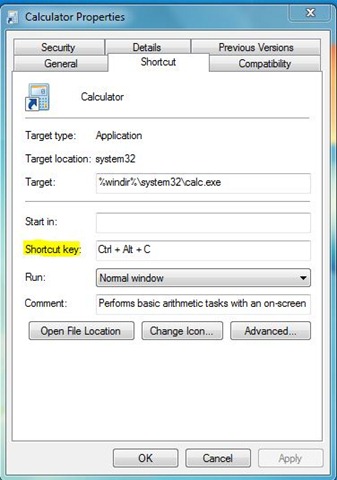
To create Shortcut key for any application in Windows 7 :
1.Right-click the program icon and select Properties.
2.Select the Shortcut tab
3.Click in Shortcut key textbox
4.Enter the keyboard shortcut for that program.
5.Press OK to exit.
6.Use the Keyboard shortcut combo to launch the application.
Like the way i have used a combo of keys Ctrl+Alt+C to launch calculator application other applications can also be launched using Shortcut keys.
Very great site.
The content here is really useful.
I will share it with my friends.
Cheers
Tx
bad migraine
I am definitely bookmarking this page and sharing it with my friends.
🙂
great post. I would love to follow you on twitter. By the way, did you learn that some Iranian hacker had hacked twitter yesterday.
Kelly
Very great site.
The content here is very useful.
I will give it to my friends.
Cheers
Hello! I’m newbie in Internet, can you give me some useful links? I know only about Yahoo Yahoo http://yahoo.com Yahoo
Great idea, but will this work over the long run?
Yeah it will
I cannot believe this is true!
Very nice Blog, I will tell my friends about it.
Thanks
Thanks Clumurisuri… Stay tuned for more updates